Booking context for recurring prep.
Your personal booking page, bidirectional Google Calendar sync, reschedule management, and lesson cadence context inside the same tutoring workflow.
Try Free: No Credit Card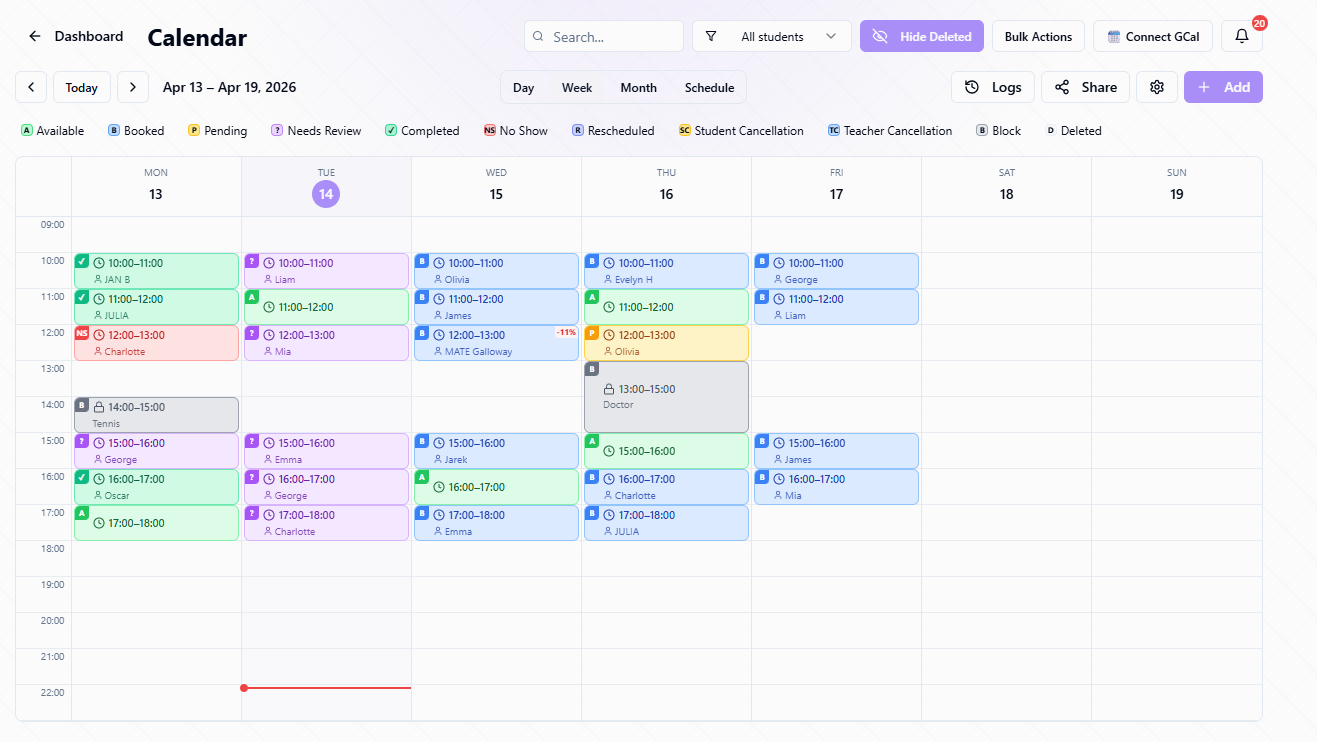
Where this feature fits in Edooqoo
Each feature is one part of the same student learning loop: setup, DSLM decision support, lesson-time signals, and the next prep cycle.
Prep decision
Lesson signals
Turns selected lesson work into submitted answers, evaluations, and review context.
Tracks word/card-level vocabulary practice and SM-2 retention progress per student.
Lets students answer shared worksheets while the teacher sees lesson evidence in real time.
Part of the Edooqoo DSLM Ecosystem
Lesson cadence and confirmed booking context can support planning when the teacher uses Edooqoo Calendar. It is optional, not a requirement for DSLM.
What it does in the workflow
Public booking page
Students book lessons through your personal link. No back-and-forth messages. Slots update in real-time.
Google Calendar sync
Bidirectional sync with Google Calendar. Per-status colors. Auto-generate Google Meet links for online lessons.
Reschedule system
Students request reschedule → you confirm or reject. Calendar updates automatically. No manual coordination.
Student GCal sync
Students sync lessons to their own Google Calendar with customizable colors and reminder settings.
How it works
Set your availability
Define weekly recurring slots (e.g., Monday 9:00–10:00, Thursday 14:00–15:00). Set buffer time between lessons.
Share your booking page
Send students your public booking link. They see available slots and book directly; no messages needed.
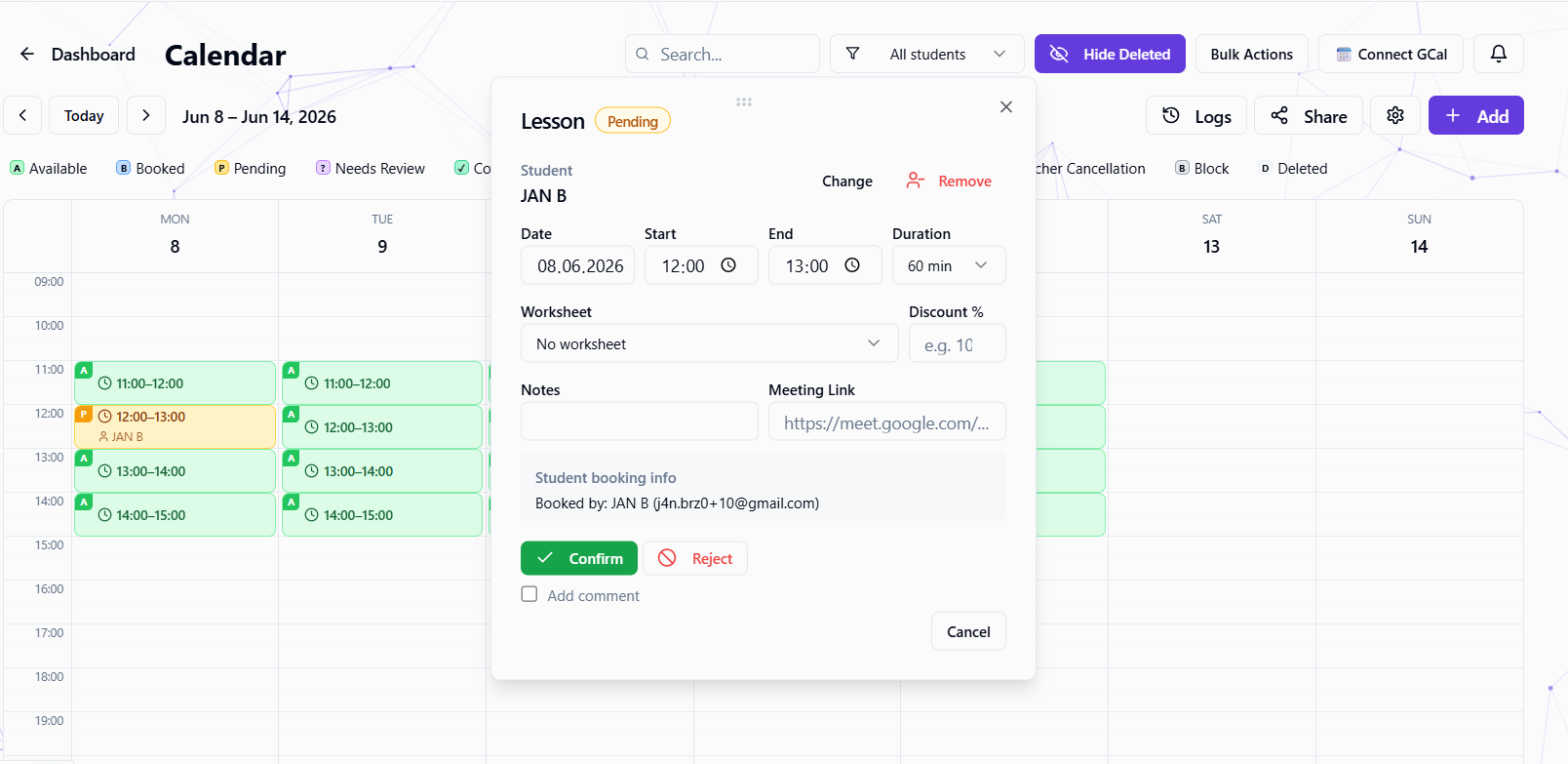
Manage bookings
Confirm or reject bookings. Handle reschedule requests. Use bulk actions for batch operations. Everything syncs to Google Calendar.
Teach and track
Mark lessons as completed or no-show. Lesson cadence and attendance context can support future planning.