Turn stored learner evidence into the next lesson focus.
The Dynamic Student Learning Model supports 1-Minute Prep by organizing profile, goals, nano-skill metrics, pacing, roadmap phases, notes, homework, flashcards, and teacher observations before worksheet output.
Try Free: No Credit Card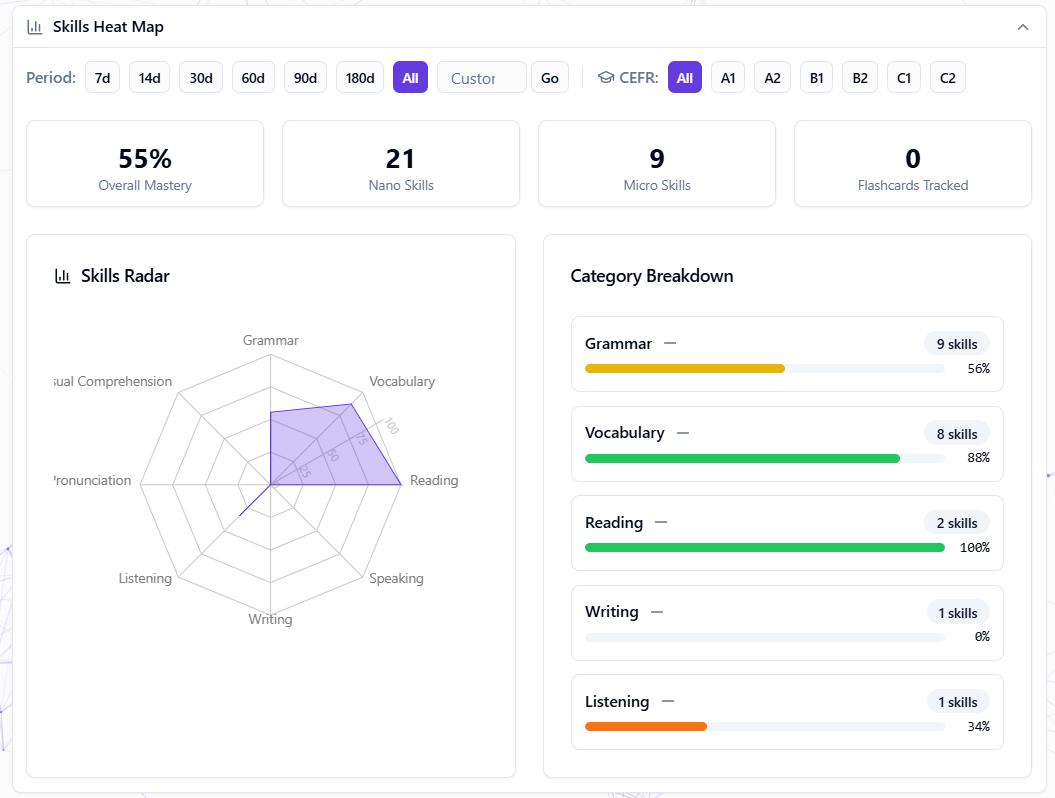
Where this feature fits in Edooqoo
Each feature is one part of the same student learning loop: setup, DSLM decision support, lesson-time signals, and the next prep cycle.
Prep decision
Lesson signals
Turns selected lesson work into submitted answers, evaluations, and review context.
Tracks word/card-level vocabulary practice and SM-2 retention progress per student.
Lets students answer shared worksheets while the teacher sees lesson evidence in real time.
DSLM is the decision layer inside 1-Minute Prep.
Use the canonical workflow page to see how student context, DSLM nano-skill evidence, pacing, and worksheet output fit together.
What it does in the workflow
Nano-skill Precision
Track evidence at the atomic level: grammar forms, vocabulary patterns, reading inference, writing register, speaking tasks, and listening detail extraction.
Trend Detection
See which skills are improving, stable, or declining. Intervene before small gaps become big problems.
Next-step Suggestions
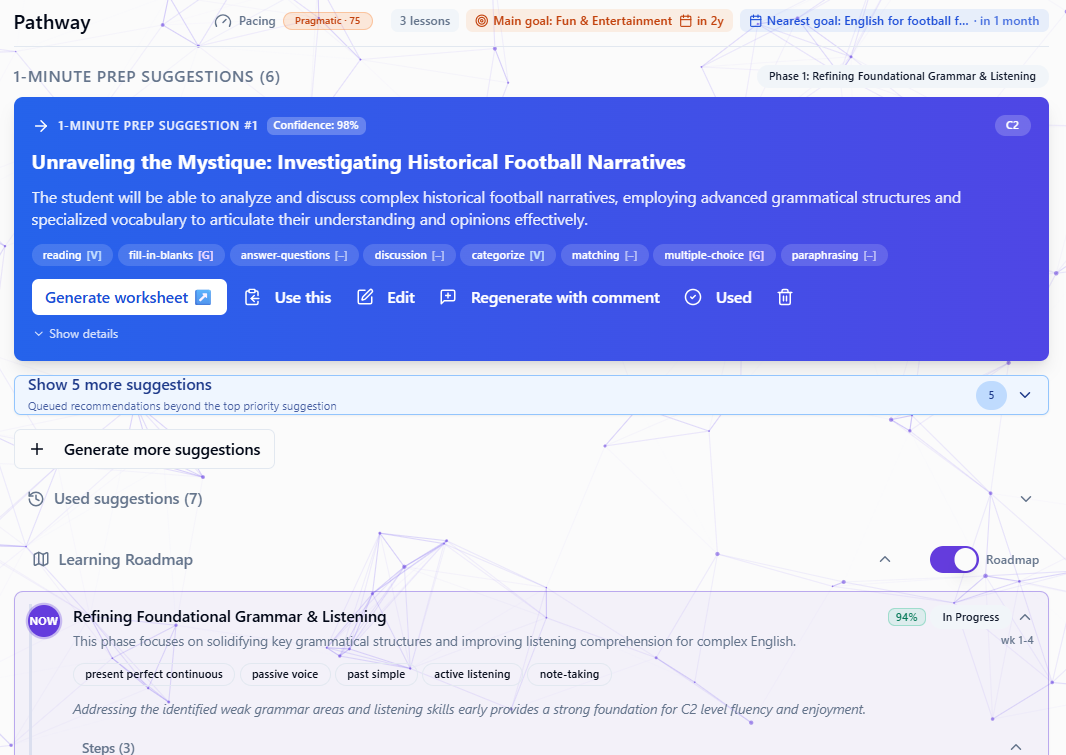
Use available student context, pacing, roadmap phase, and skill metrics to generate clearer worksheet recommendations for teacher review.
Signal Graph
Profile, goals, tests, worksheets, homework, notes, flashcards, pacing, and events become a student-specific context layer over time.
The 4-Layer Architecture
From stored learner evidence to teacher-reviewed next-step suggestions.
What DSLM Tracks
Six skill areas with atomic nano-skill labels. The labels become more useful when mastery and trend signals accumulate.
| Skill Area | Example Nano-skills Tracked |
|---|---|
| Grammar | ns.grammar.present_perfect_continuous, ns.grammar.third_conditional, ns.grammar.passive_voice_past |
| Vocabulary | ns.vocabulary.collocation_do_make, ns.vocabulary.word_formation_adverb, ns.vocabulary.idiom_comprehension |
| Reading | ns.reading.identify_main_idea, ns.reading.inference_from_text |
| Writing | ns.writing.formal_narrative, ns.writing.pragmatic_appropriacy, ns.writing.complaint_register |
| Speaking | ns.speaking.complaint_oral, ns.speaking.pragmatic_declining_oral |
| Listening | ns.listening.detail_extraction |
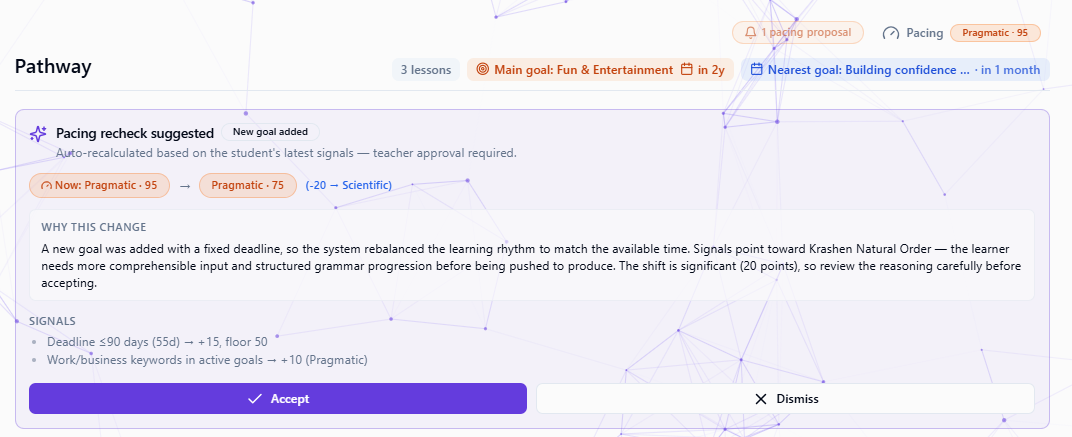
Learning Pacing and Roadmap Context
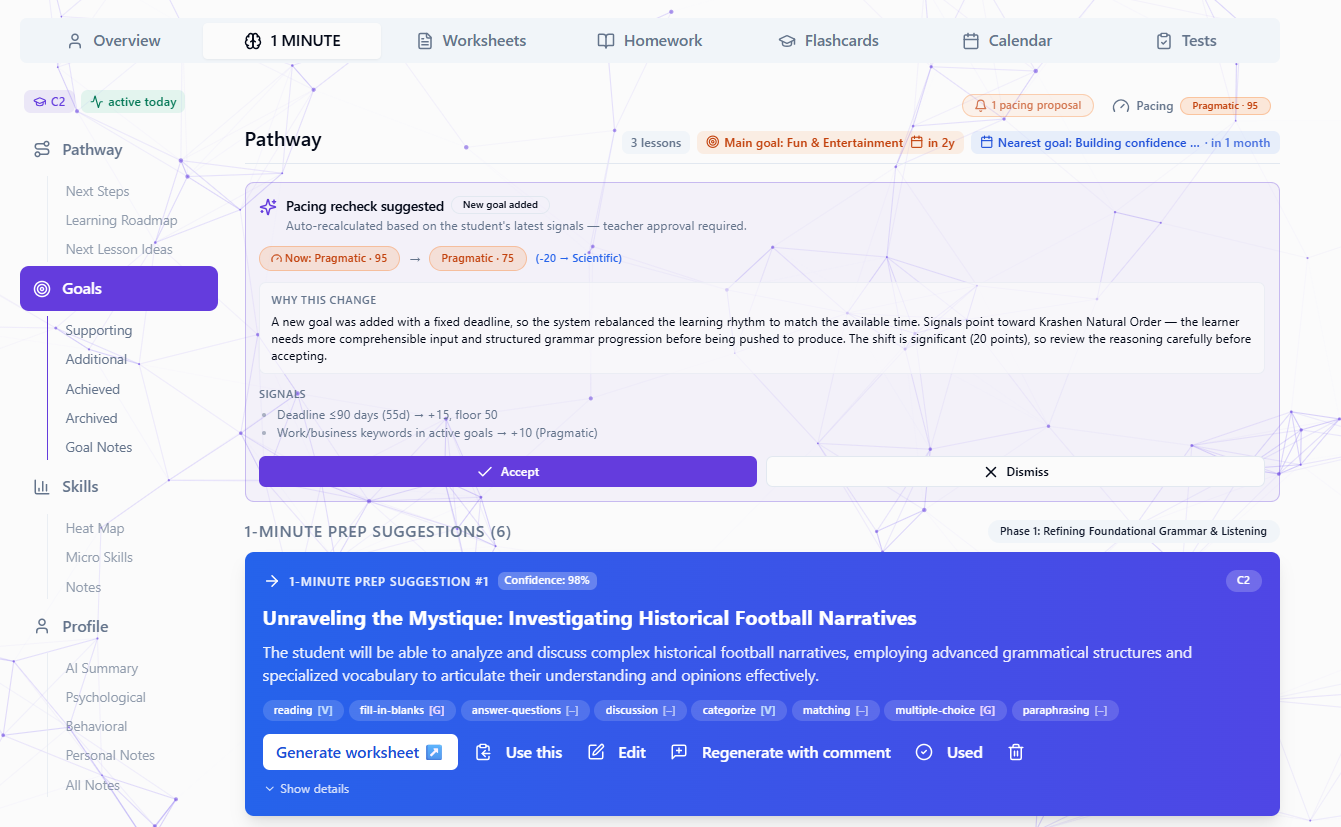
DSLM uses pacing and roadmap context to decide whether the next step should be more input-first, balanced, or output-heavy. The teacher reviews every proposal before accepting it.
How DSLM works
Student context is created
Profile, goals, Welcome Test results, homework, flashcards, live work, or teacher observations provide the starting signals.
DSLM organizes available signals
The system turns raw activity and teacher context into profile, nano-skill mastery, trend, pacing, and planning information.
You review the next-step view
Open the student profile to see nano-skill signals, trend indicators, confidence context, and suggested worksheet directions.
Teach with teacher control
Use DSLM next-focus suggestions to generate the next worksheet, or choose your own focus, then review and edit before use.
How DSLM Powers Every Feature
Supported student activity and teacher observations can add context for better recurring prep.
Frequently Asked Questions
Start building student context today
2 free worksheets. Build the context that moves weekly prep toward 1 minute per student.
Get Started Free